Help Center
Follow these steps to make a booking, find your booking, update or cancel it, and manage your waiting list.
Make a New Booking
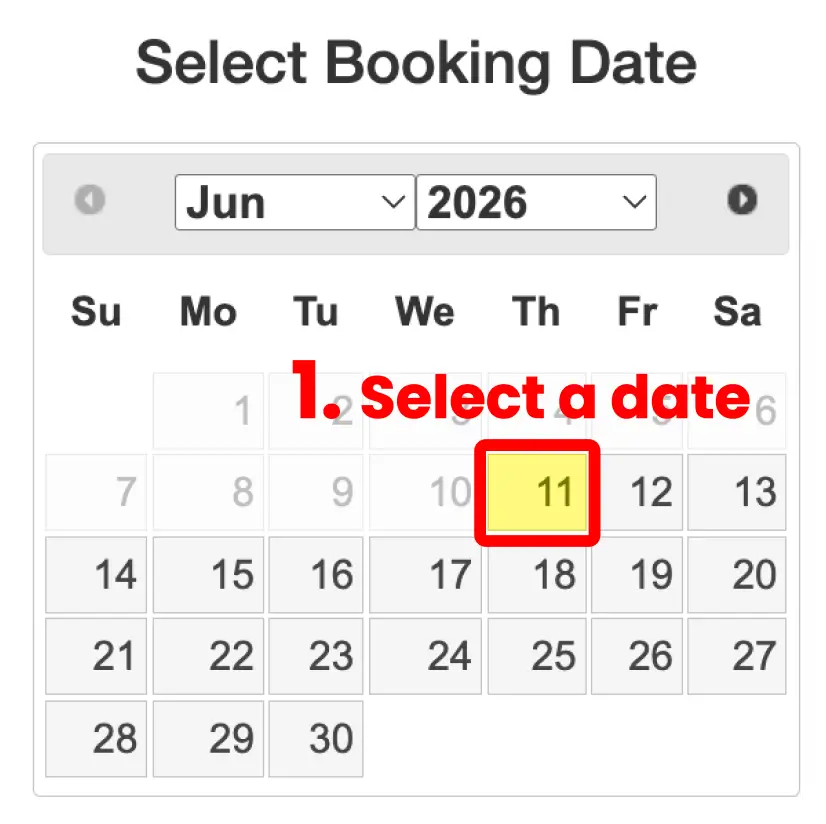
Select a date, choose an available tee-off time, and complete your booking details.
1. Select a date
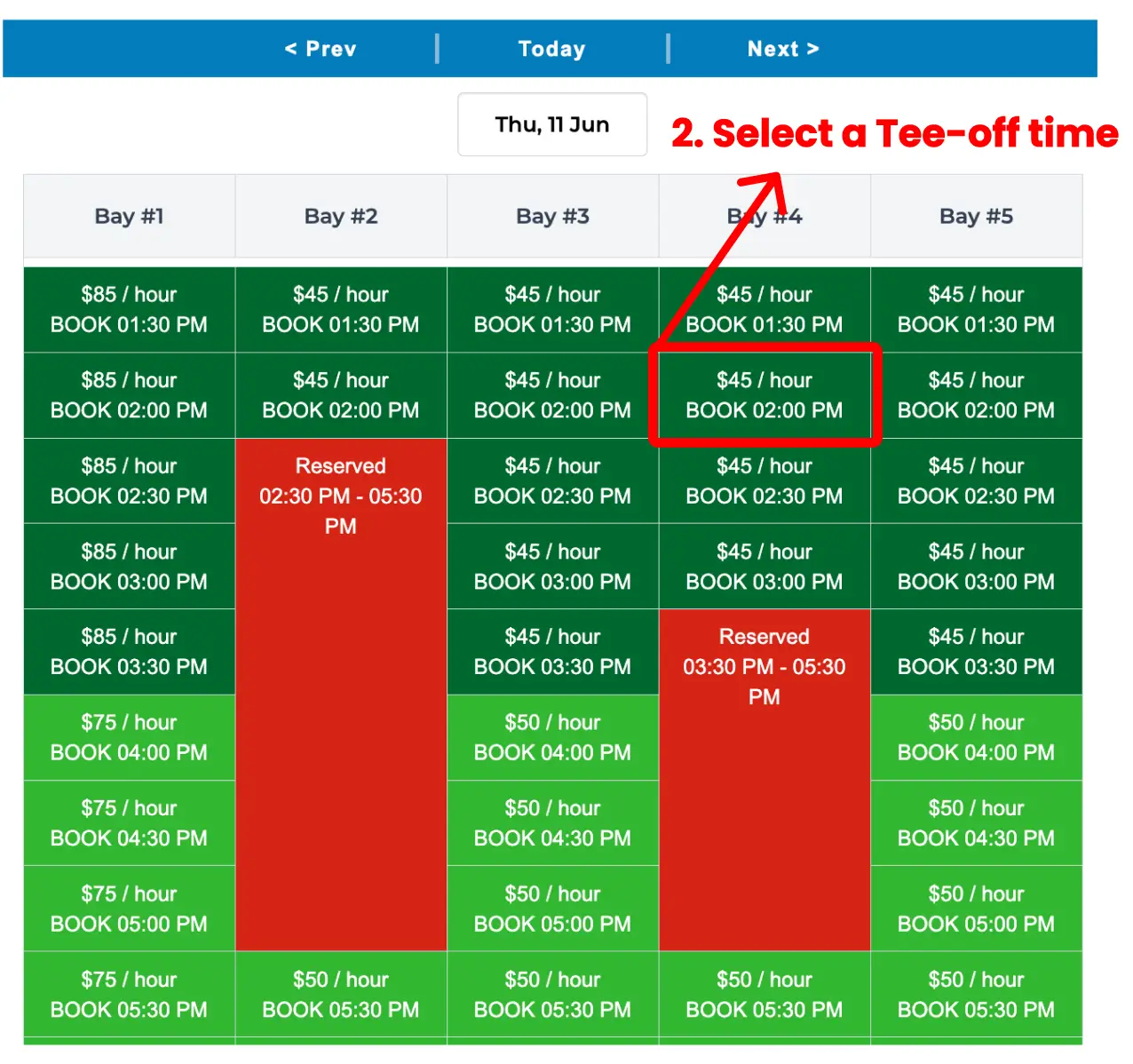
2. Select a tee-off time
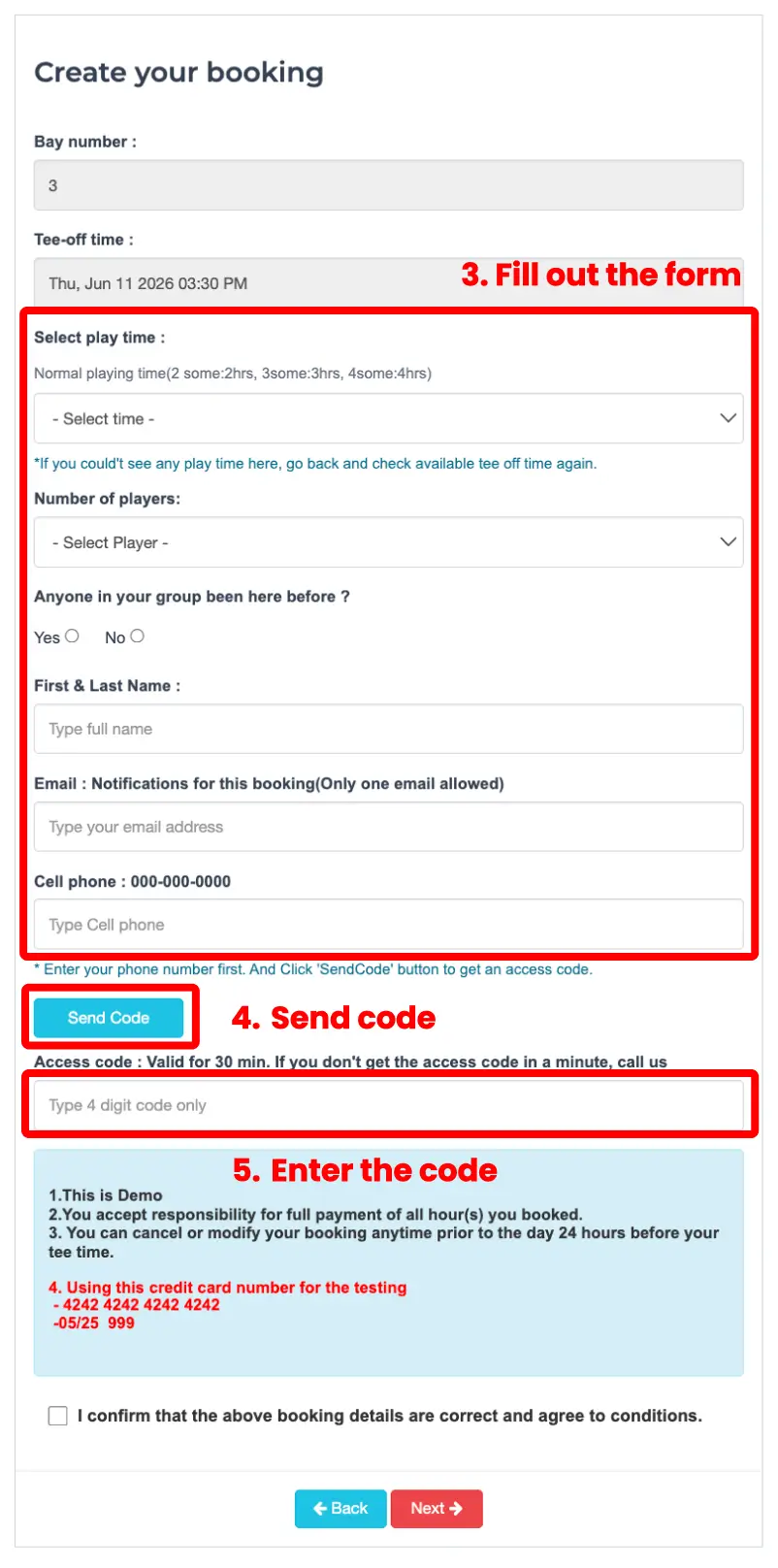
3. Fill out the form
4. Send code
5. Enter the code
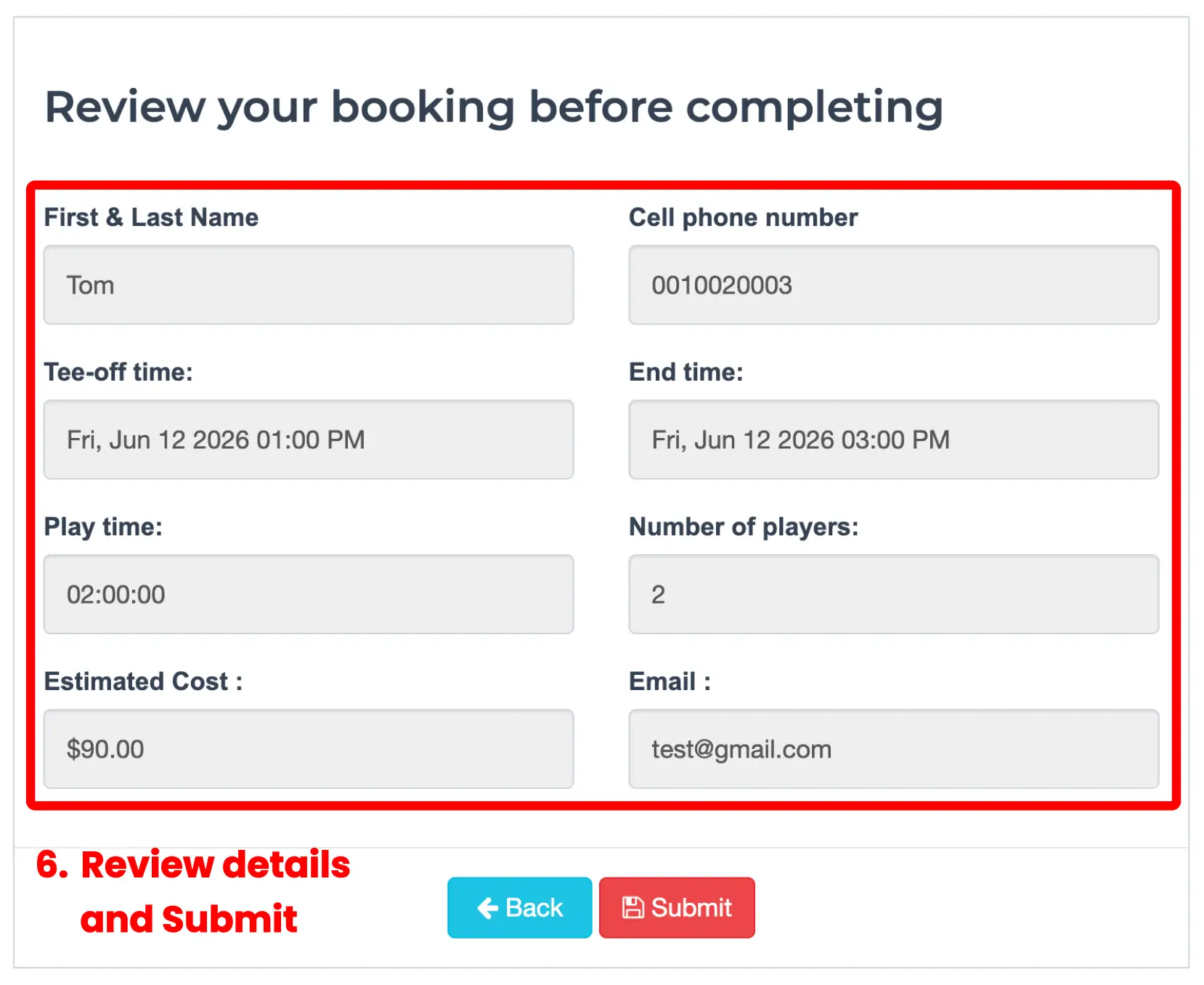
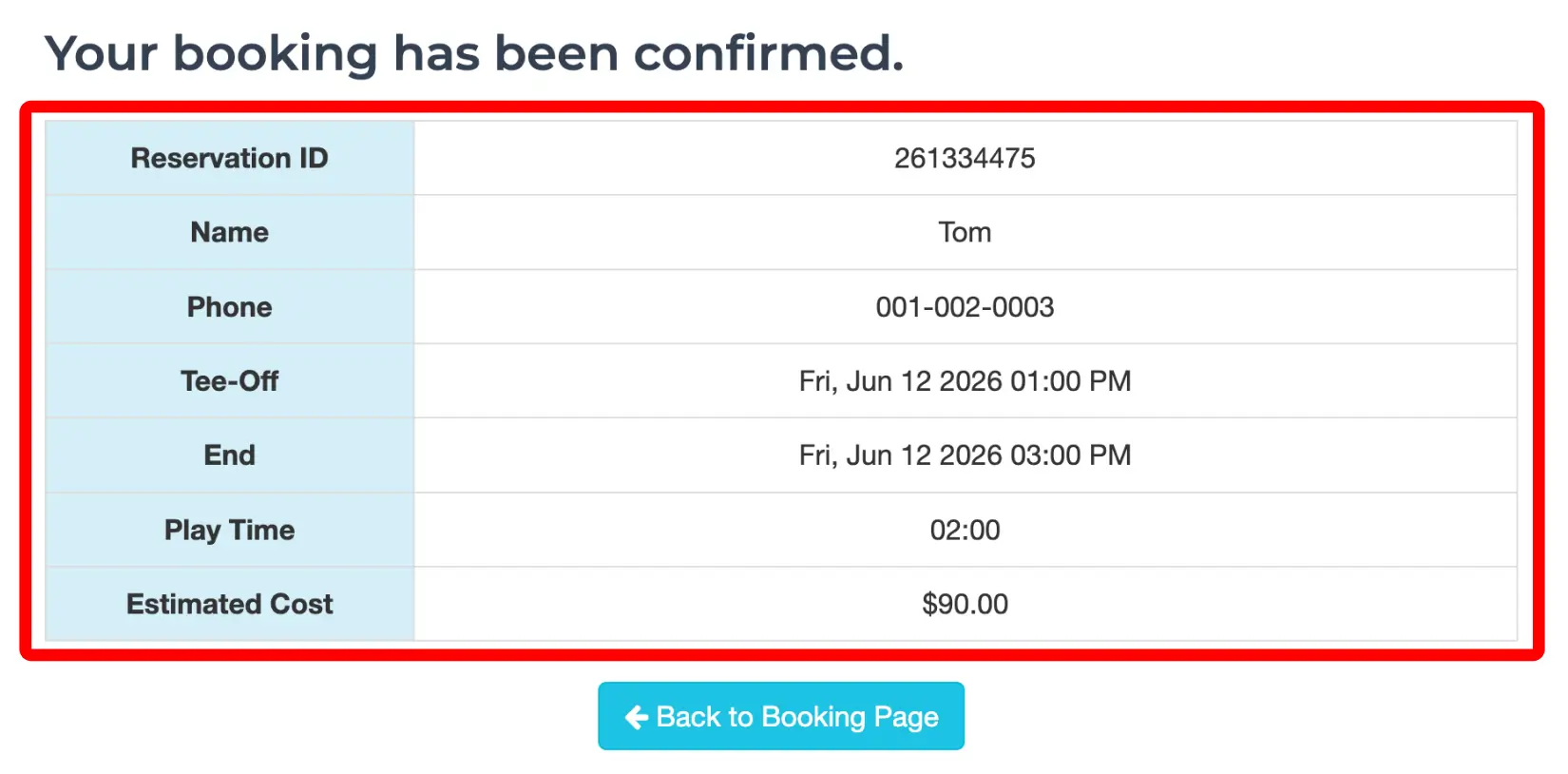
6. Review details and Submit
- Each time slot is 30 minutes. Please check availability before selecting a tee-off time.
- Gray or reserved time slots cannot be selected.
Find, Update, or Cancel My Booking
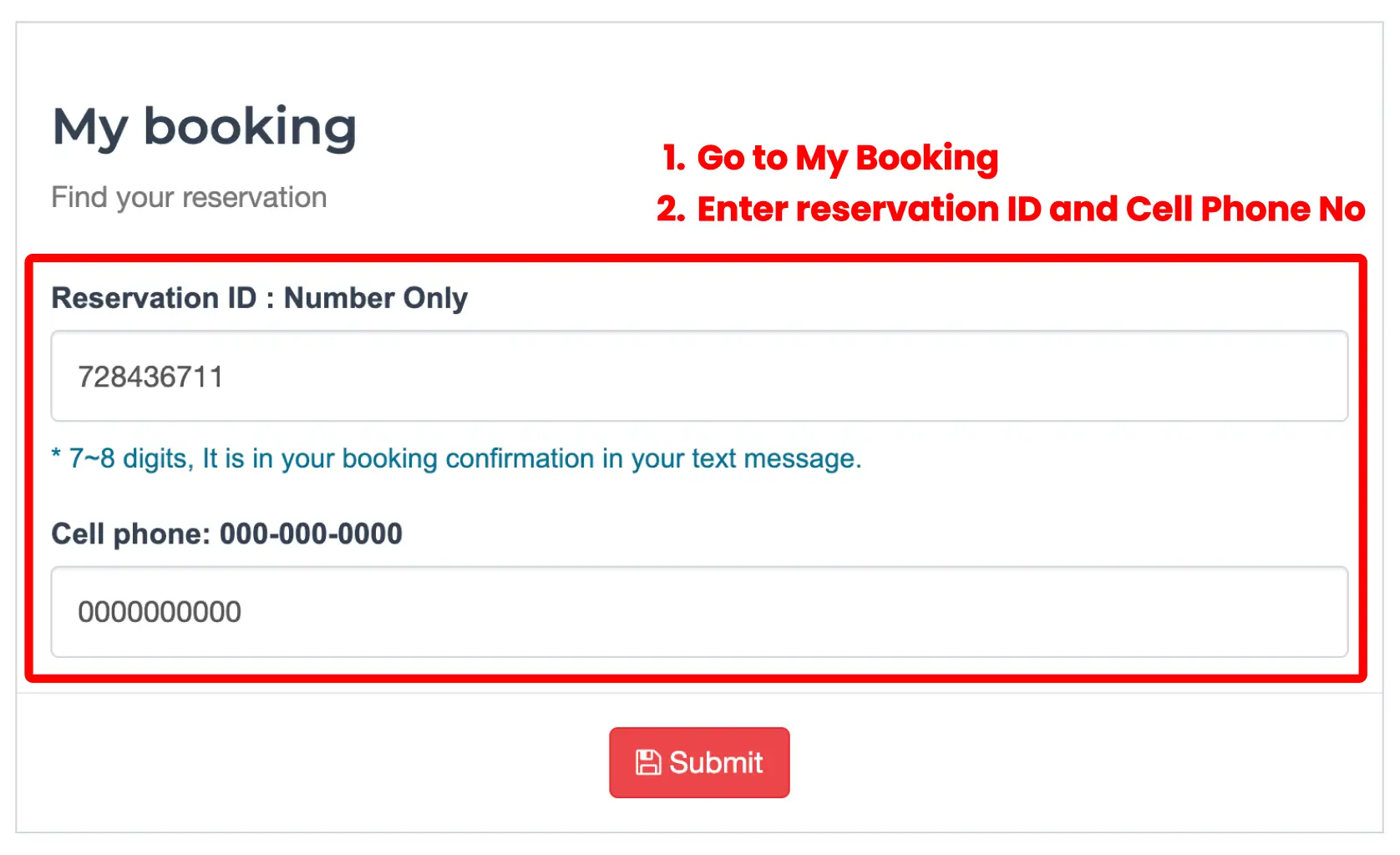
Use your reservation ID and phone number to find your booking information.
1. Go to My Booking
2. Enter reservation ID and Phone No
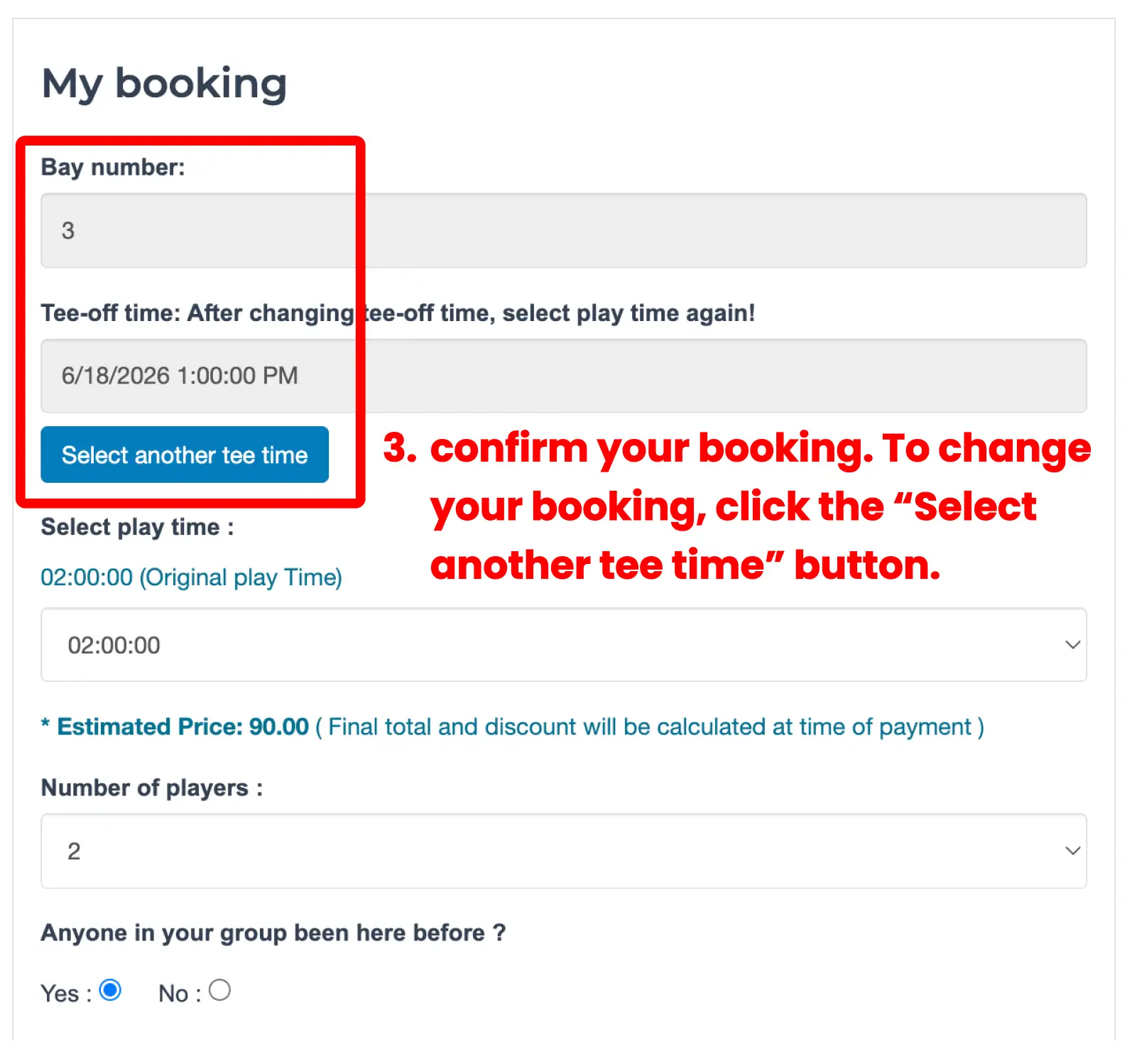
3. Confirm your booking
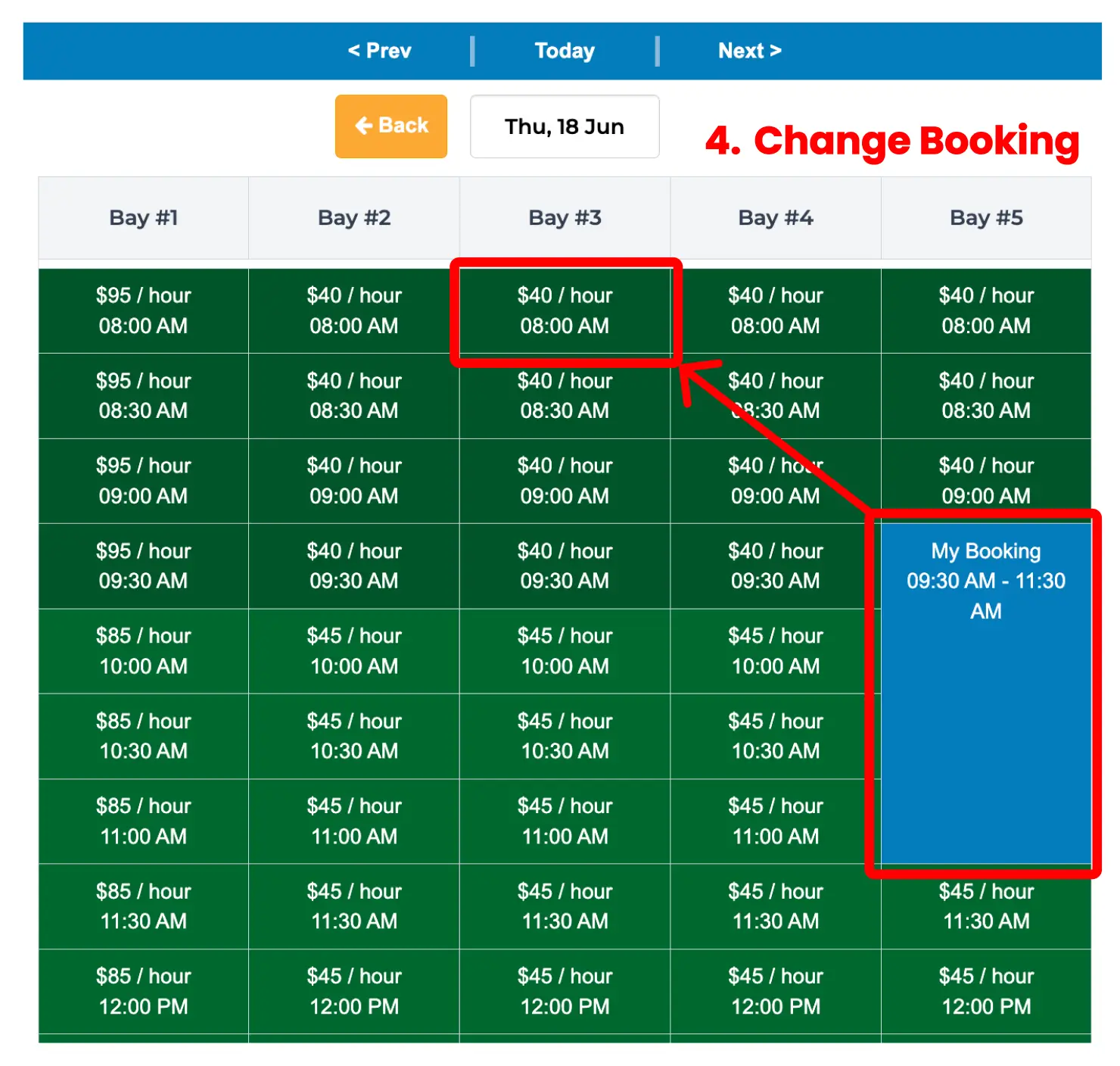
4. Change your booking
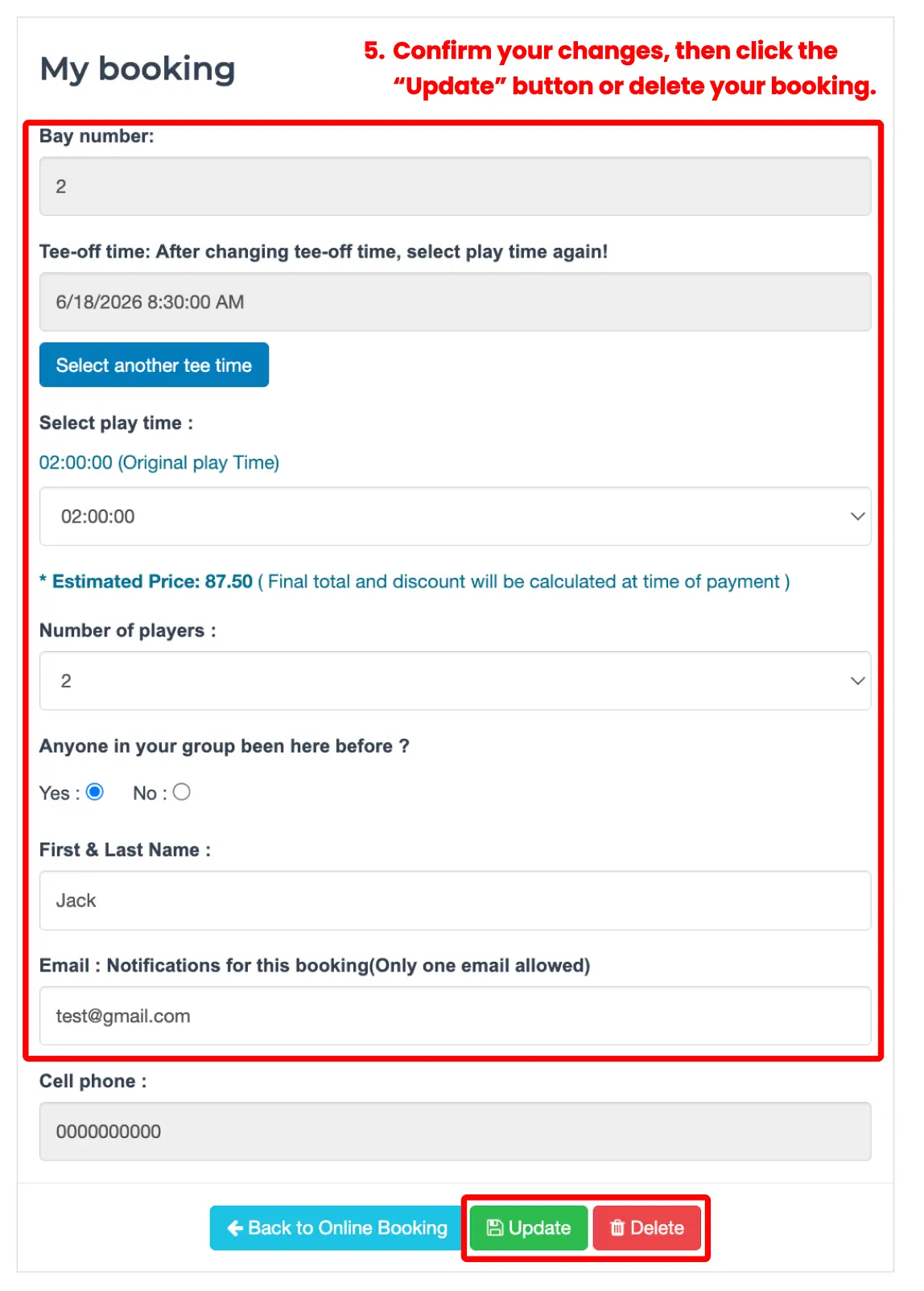
5. Update or Delete
- Past bookings cannot be searched.
- Available play time may be limited if another booking is scheduled after yours.
- Please check your tee-off time and play time carefully before updating.
Join the Waiting List
If your preferred time is unavailable, add your name to the waiting list.
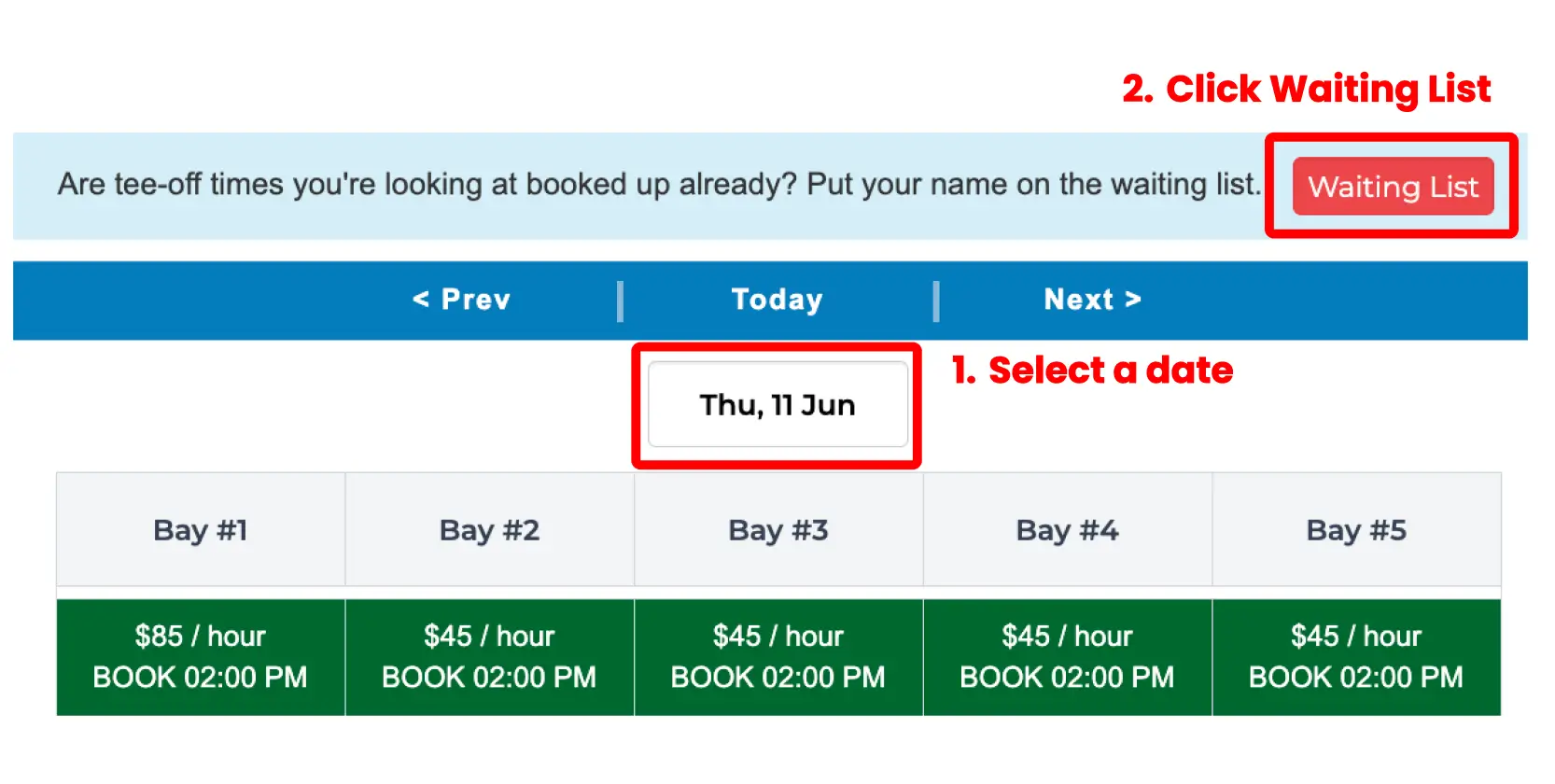
1. Select a date
2. Click Waiting List
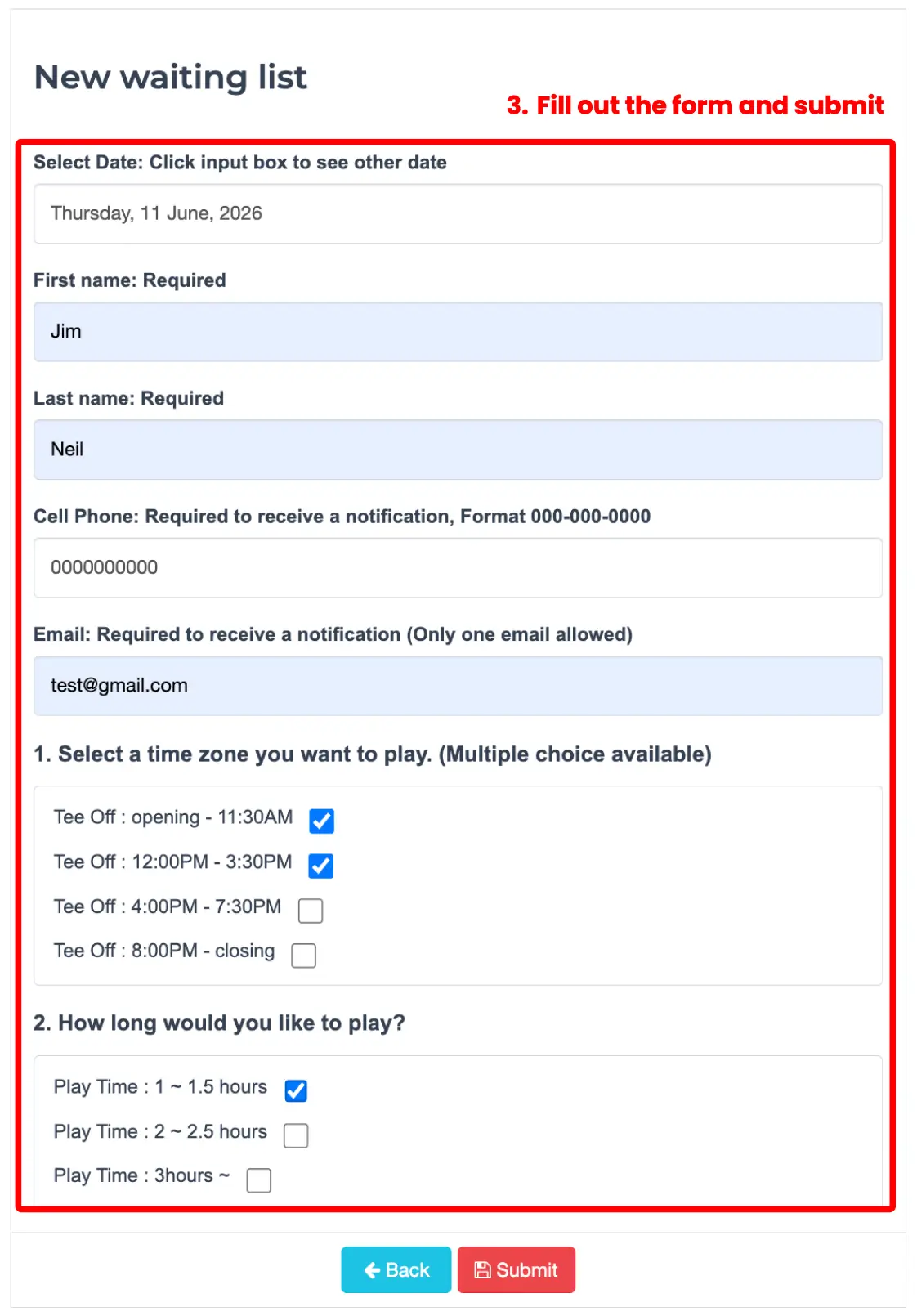
3. Fill out the form and Submit
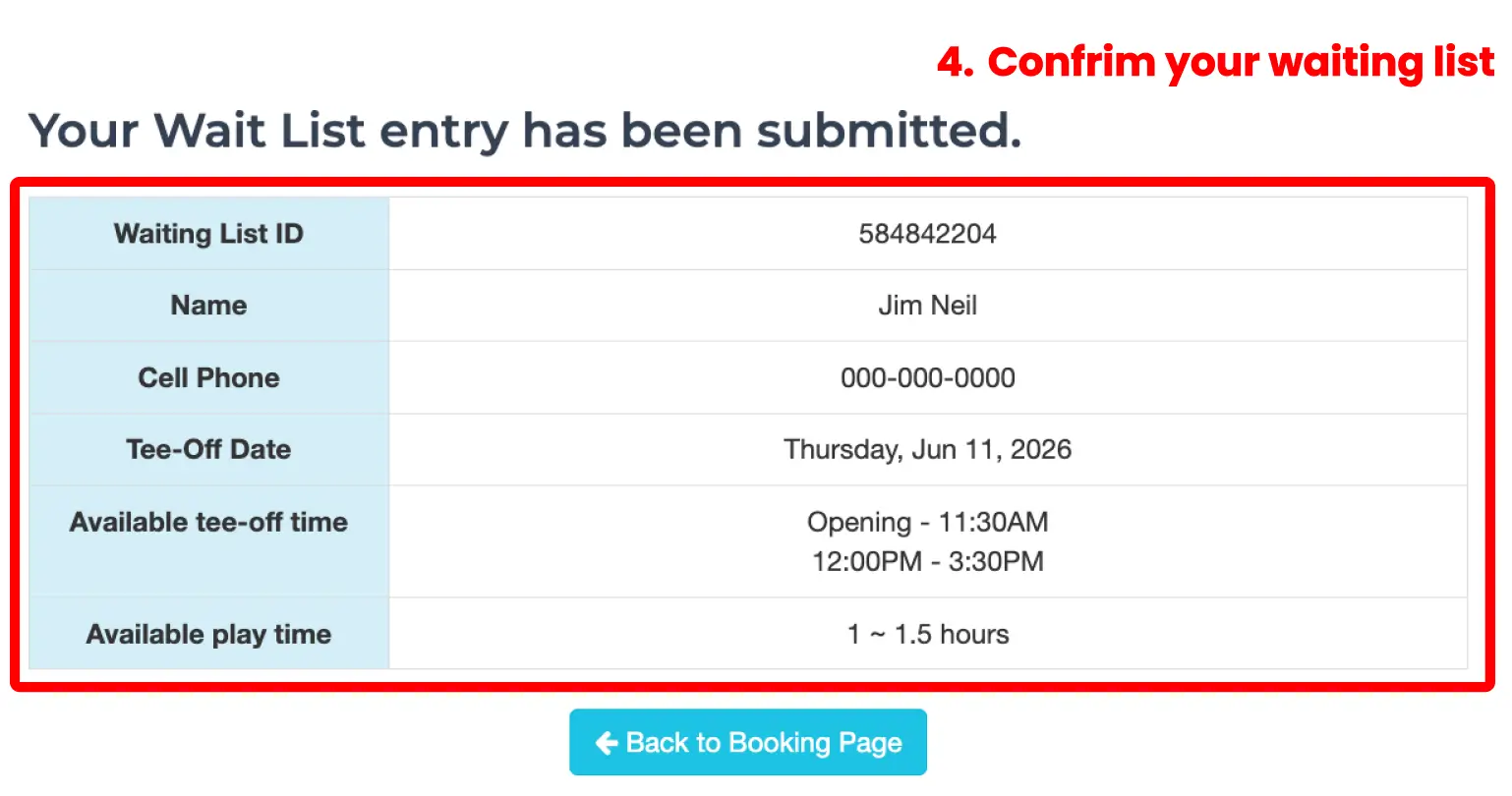
4. Confirm your waiting list
- You may receive a message if a cancellation becomes available.
- You can join the waiting list for more than one date or time.
Check or Delete My Waiting List
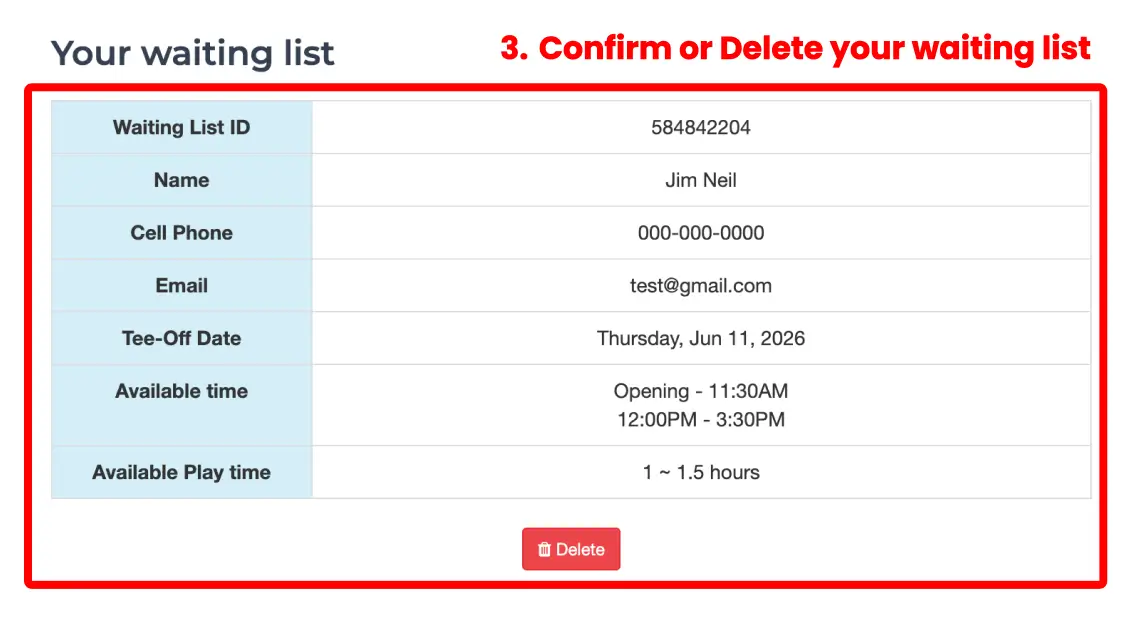
Find your waiting list entry and delete it if you no longer need it.
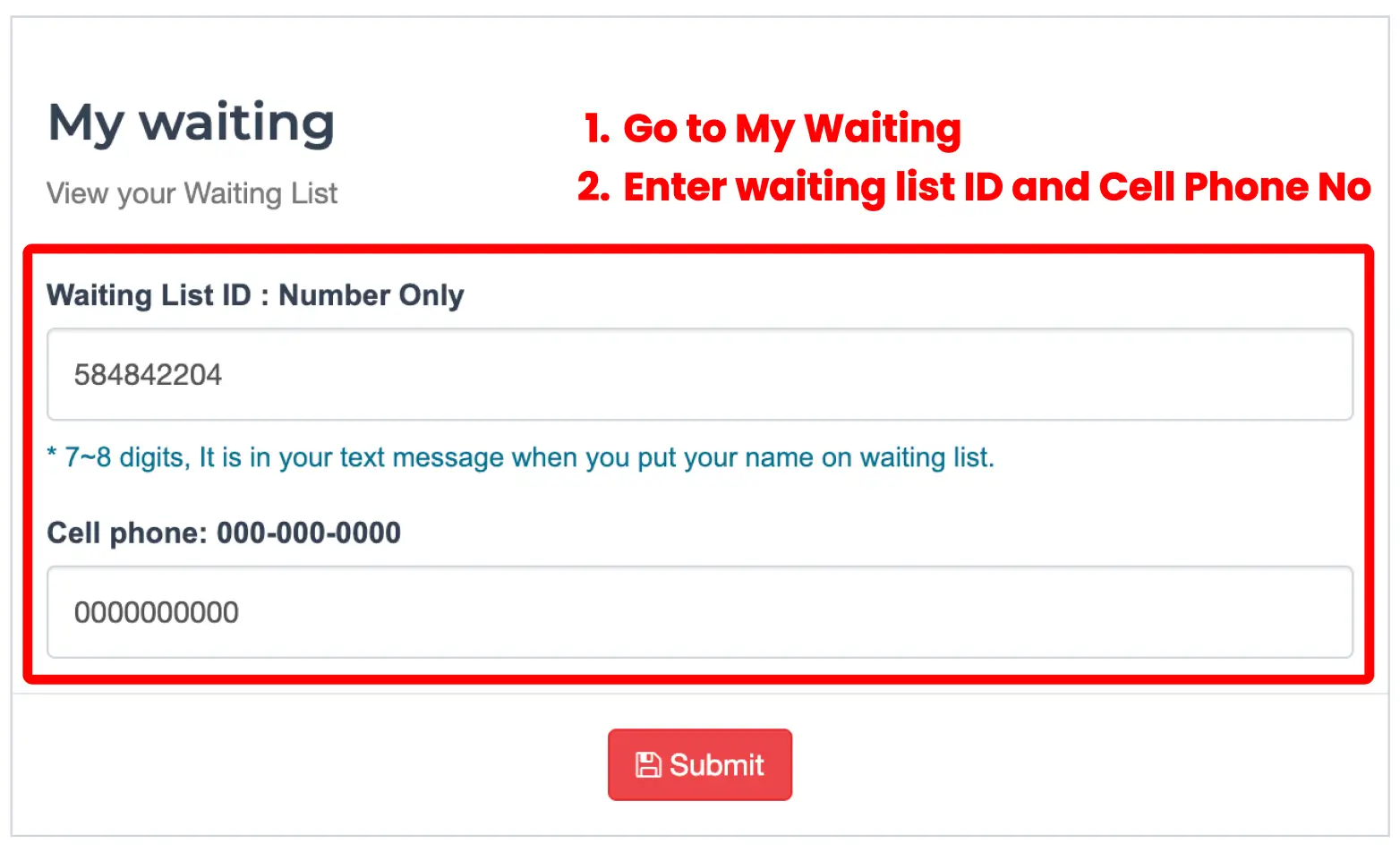
1. Go to My Waiting
2. Enter waiting list ID and Phone No.
3. Delete waiting list entry
- Past waiting list entries cannot be searched.
- Waiting list entries cannot be updated. Please delete the entry and create a new one.